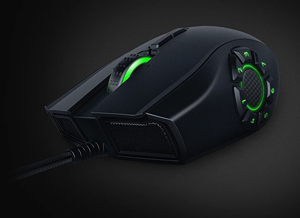
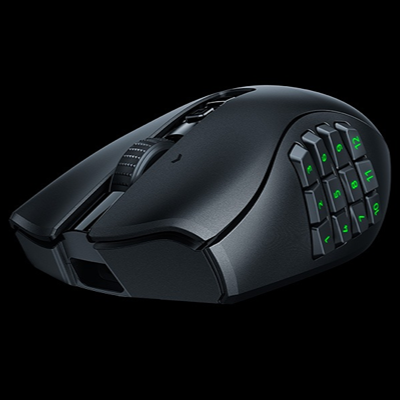
REVIEW | RAZER NAGA V3 PRO | THREE PANELS, TOTAL CONTROL
A modern MMO can demand more commands than most players can comfortably reach without turning the keyboard into a memorization exercise. Abilities, consumables, targeting shortcuts, communication tools and interface functions gradually occupy every convenient key, leaving the mouse responsible for little more than movement and two primary clicks. Razer has spent years challenging that division of labor, and the razer naga v3 pro is its most complete argument so far. Released on August 11, 2026, this right-handed wireless gaming mouse combines three interchangeable side panels with up to 23 programmable inputs, a 50,000 DPI optical sensor, fourth-generation optical switches and a scroll wheel capable of changing its behavior according to the task. It is designed primarily for MMOs, MOBAs and strategy games, but the two-button panel allows it to resemble a more conventional gaming mouse when the additional controls are unnecessary. That flexibility is the entire point. Instead of asking the player to purchase one mouse for World of Warcraft, another for shooters and something simpler for everyday work, the Naga V3 Pro attempts to become all three. It succeeds more often than expected, although its $179.99 price, substantial weight, large shape and dependence on Razer’s software prevent it from becoming an automatic recommendation for every PC player.

a familiar shape with a clearer purpose
Razer has resisted the temptation to redesign the Naga simply to make the third generation look new. The broad body, raised rear section, right-side finger support and pronounced palm-grip orientation remain immediately recognizable. Its dimensions of 119.5 × 75.5 × 43.5 mm create a mouse that fills the hand instead of disappearing beneath it, which is appropriate for long sessions where comfort and button access matter more than rapid lifting. The matte black construction feels substantial, while stronger internal supports and carefully assembled components give the chassis the density expected from a premium peripheral. This is not an ultralight shell covered in openings and reduced to the minimum amount of material. It is a complicated control device containing removable panels, additional switches, wireless hardware, RGB lighting and a multi-mode scroll mechanism. Razer has still reduced weight compared with the Naga V2 Pro, but the V3 Pro remains considerably heavier than modern competitive mice. That compromise makes sense within its intended role. A player raiding for several hours or controlling large armies in an RTS may appreciate a stable, planted shape, while someone repeatedly lifting the mouse during fast low-sensitivity aiming will notice the extra mass immediately. The design therefore begins with a reasonable decision: preserve the familiar Naga ergonomics and improve what happens beneath the hand instead of chasing an ultralight category it was never built to enter.
three panels change the entire mouse
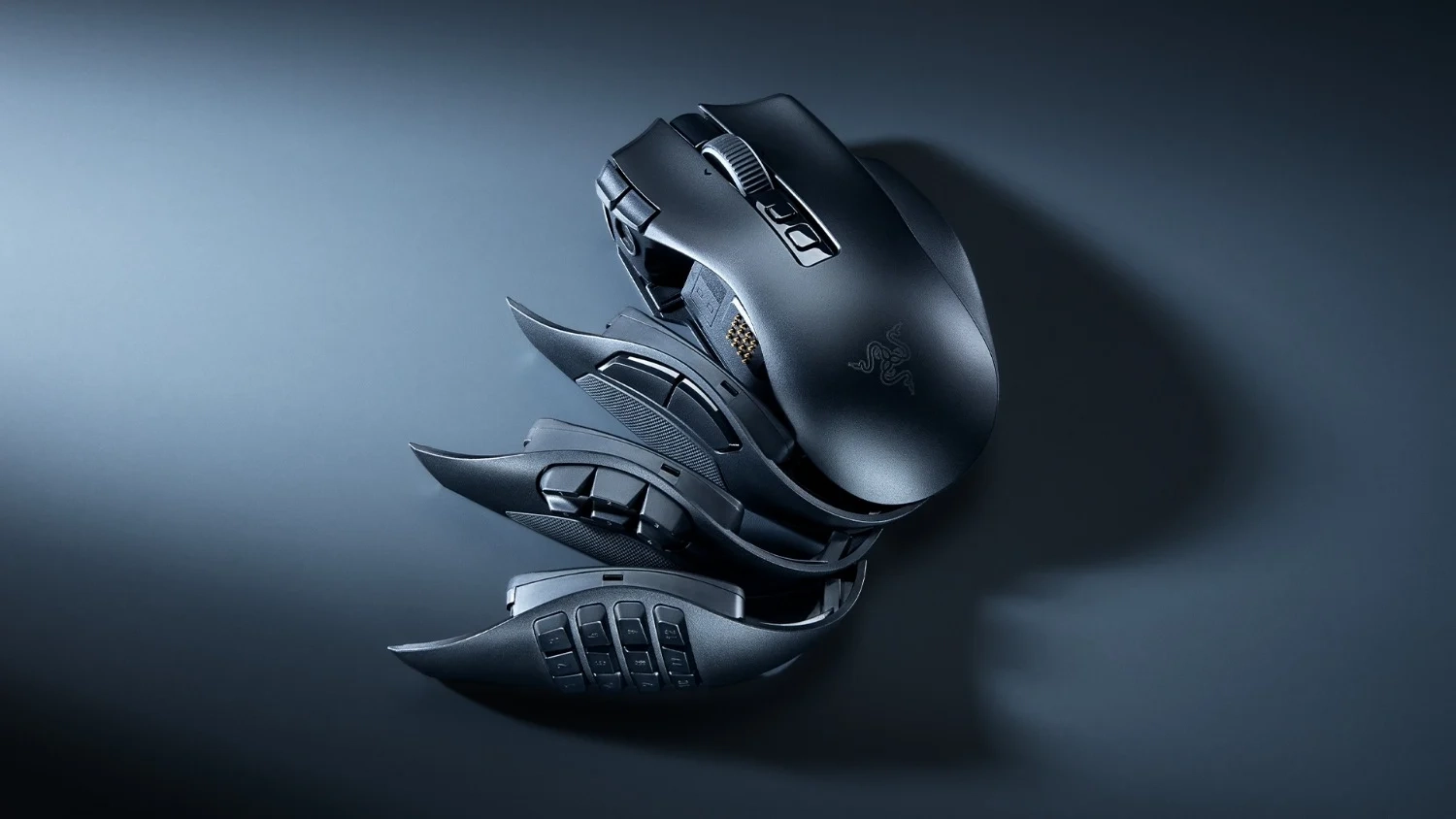
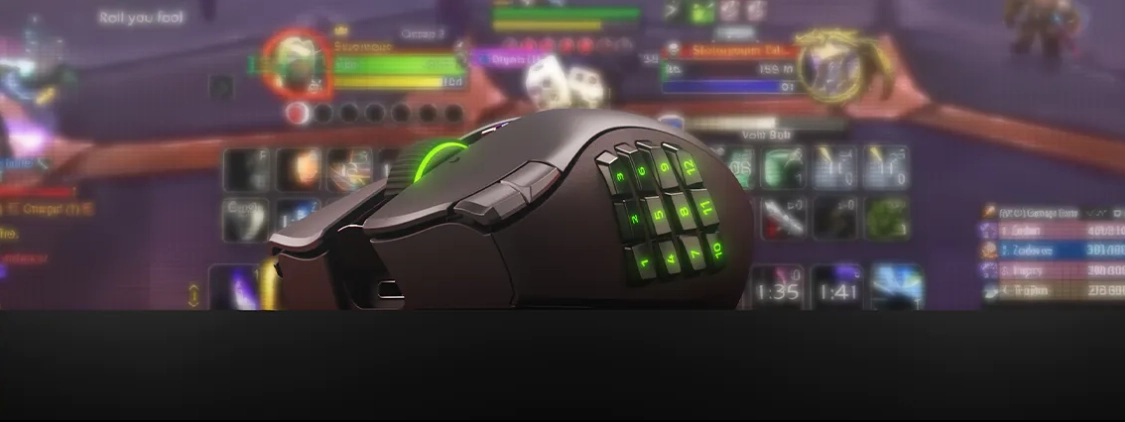
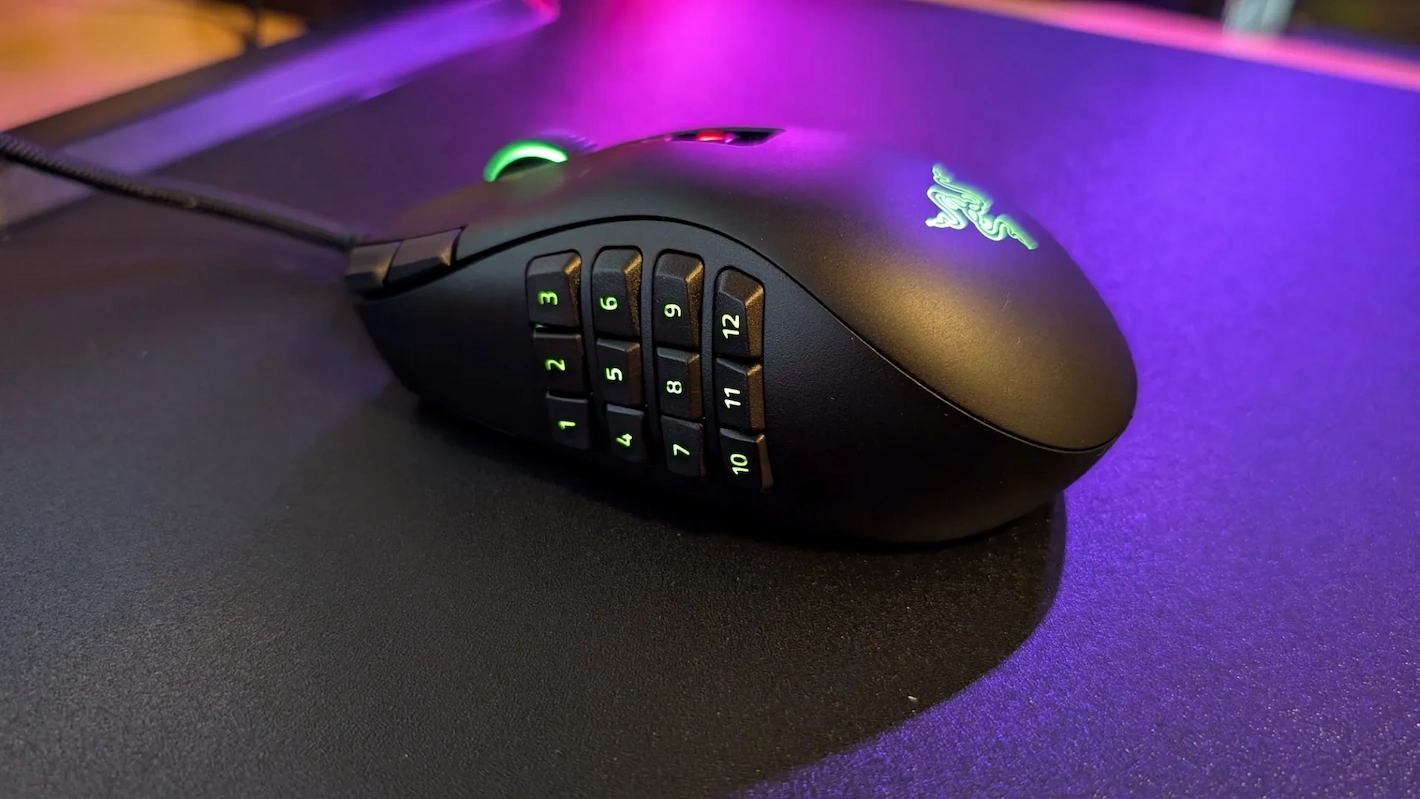
The strongest feature remains the set of three magnetic side panels, each built for a different level of control. The twelve-button panel transforms the Naga V3 Pro into a full MMO command centre, placing a numbered grid beneath the thumb for abilities, items, targeting functions and macros. The six-button panel reduces visual and physical complexity while retaining enough inputs for MOBAs, battle royale games, strategy titles and action RPGs. The two-button panel is the conventional option, suitable for shooters, browsing and players who want the Naga shape without carrying a calculator under their thumb. The magnets are strong enough to make each panel feel integrated into the chassis rather than loosely attached, and the mouse identifies the installed layout automatically. Swapping panels requires no tools, software restart or complicated pairing process. This system gives the Naga V3 Pro genuine flexibility rather than the superficial versatility often promised by configurable peripherals. The six-button panel may be the most balanced of the three because its larger, more clearly separated controls are easy to identify without looking down. The twelve-button grid offers far greater potential, but it also demands practice. Its buttons sit close together and can initially feel too similar, making accidental presses inevitable until muscle memory develops. The two-button panel cannot make the mouse light or small enough to compete directly with dedicated FPS designs, but it does prevent the V3 Pro from becoming useless whenever the player leaves an MMO.
twenty-three inputs require commitment
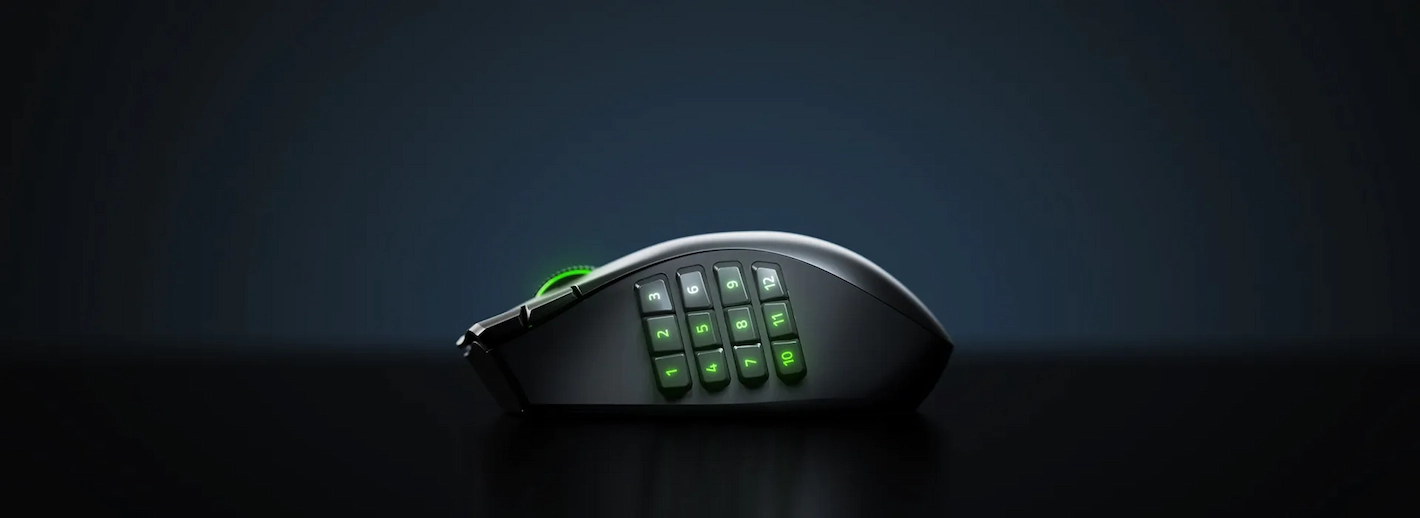
The maximum total of 23 programmable controls sounds excessive until a complicated game begins filling them. The twelve-button thumb grid can hold an entire ability bar, while the scroll-wheel tilt, central buttons and additional edge controls handle functions normally assigned across the keyboard. HyperShift can add secondary commands to compatible buttons, expanding the possible configuration even further. This does not automatically make games easier. A badly organized profile merely moves keyboard confusion onto the mouse, and the twelve-button panel has a significant learning curve. The player must create a logical layout, remember it and resist changing assignments every time a new ability arrives. Once that work is complete, however, the advantage can be substantial. Frequently used commands remain under the thumb, the left hand stays closer to movement keys and complicated rotations require less stretching across the keyboard. RTS players can assign unit groups, camera locations or production shortcuts, while productivity users can map editing commands, application controls and navigation functions. The additional ring-finger control can operate as another input or be locked and used simply as part of the grip, addressing earlier concerns about accidental activation. Razer has also moved toward double-shot-molded side-button legends, making the markings more resistant to wear than printed labels. The system rewards players willing to configure it properly, but anyone who dislikes keybinding, profiles and adjustment will pay for a large amount of functionality that remains unused.
performance hardware leaves little to question
Inside the mouse is Razer’s Focus Pro 50K Optical Sensor Gen-3, rated for up to 50,000 DPI, 930 inches per second and 90 G acceleration. Those numbers are far beyond what most owners will ever use, particularly in an MMO-oriented mouse where controlled cursor placement matters more than extreme sensitivity. The practical result is more important: tracking is accurate, consistent and free from obvious correction, stuttering or unwanted acceleration across normal gaming surfaces. Current independent testing by tom’s hardware found the sensor accurate across different surfaces, reinforcing the impression that performance limitations are more likely to come from the mouse’s weight or shape than its electronics. Fourth-generation Razer optical switches accompany the sensor and are rated for 100 million clicks. They provide a firm, immediate response without the debounce behavior associated with traditional mechanical switches, while their lighter actuation helps rapid ability use without making the primary buttons feel fragile. This is not a mouse that needs 50,000 DPI to justify itself, and the specification risks becoming little more than a marketing number. What matters is that the underlying hardware no longer asks MMO players to accept weaker tracking simply because they want more buttons. The V3 Pro carries sensor and switch technology close to Razer’s performance-focused models, even if its physical design prevents it from behaving like a lightweight esports mouse.
the scroll wheel earns its complexity
The HyperScroll Tilt Wheel Gen-2 is one of the most useful upgrades because it changes according to the job instead of providing one permanent compromise. Standard Tactile mode offers the familiar stepped movement expected from a gaming mouse, while Precision Tactile doubles the number of defined steps for slower and more deliberate navigation. Free-Spin removes most resistance when moving quickly through long documents, inventories or web pages, and Smart-Reel can automatically transition between controlled and free movement according to scrolling speed. The wheel also tilts left and right, providing two additional programmable inputs that are particularly useful for horizontal navigation, weapon selection or interface commands. This degree of adjustment could easily have become a gimmick, but the modes have clear differences and practical uses. Precision Tactile is valuable when one unintended step can select the wrong item or ability, while Free-Spin makes everyday desktop work considerably faster. The internal mechanism is also more thoughtfully constructed than its complicated behavior might suggest. WIRED’s examination describes a robust design using separate switches for the wheel’s rocking and click functions, reducing dependence on one sealed proprietary component. The only real danger is spending too much time tuning a wheel that already works well in its standard configuration. Unlike the mostly decorative AI feature found in the software, the scroll system improves both gaming and ordinary use and becomes one of the strongest reasons the V3 Pro feels like more than a sensor refresh.
wireless operation is complete but not fully equipped
Connectivity covers the three expected options: Razer HyperSpeed 2.4 GHz wireless, Bluetooth Low Energy and wired USB-C operation. The included HyperSpeed dongle provides the low-latency connection most players should use for gaming, while Bluetooth is convenient for laptops, secondary systems and devices where maximum responsiveness is unnecessary. The mouse can continue operating through its detachable cable while charging, so a depleted battery does not end a session. Razer claims up to 155 hours of operation through HyperSpeed and as much as 280 hours through Bluetooth, although lighting, polling rate and usage patterns will reduce those maximum figures. Even with realistic variation, endurance should be strong enough to prevent charging from becoming a daily concern. Five onboard profiles also allow important configurations to travel with the mouse instead of remaining tied to one Windows installation. The complication appears around polling rate. Standard wireless operation uses 1000 Hz, which is fully adequate for the games this mouse is primarily designed to play. Reaching 8000 Hz requires a compatible Mouse Dock Pro or HyperPolling Wireless Dongle sold separately. Charging accessories are also optional. This is difficult to excuse on a $179.99 flagship, particularly when the product page uses 8000 Hz as a premium performance feature. Most users will not receive a meaningful MMO advantage from that polling rate, but if Razer advertises it as part of the mouse’s capability, the necessary hardware should ideally be inside the box.

synapse is powerful and impossible to ignore
A mouse with this many inputs depends heavily on software, and Razer Synapse 4 provides the tools required to keep the system manageable. Every button can be reassigned, profiles can be connected to individual games, sensitivity stages can be adjusted and the behavior of the scroll wheel can be changed without unusual workarounds. Synapse recognizes which side panel is attached and exposes the appropriate layout automatically, avoiding the need to rebuild the configuration after every swap. HyperShift, macros, lighting, calibration and profile management are presented with enough clarity that the software does not collapse under the amount of control available. Automatic profile switching is particularly valuable because the ideal twelve-button MMO arrangement makes little sense inside a shooter or desktop application. The mouse includes three lighting zones, although only the twelve-button panel receives illuminated numbers; the lack of lighting on the numbered six-button panel is a small but strange omission. Razer has also added AI Prompt Master functions intended to manipulate prompts for services such as ChatGPT and Copilot. The feature feels attached to the product because 2026 apparently requires an AI label on everything, not because mouse owners were asking for it. More importantly, the Naga V3 Pro’s long-term usefulness remains connected to continued Synapse support. Onboard profiles reduce that dependence but do not eliminate it, especially for deeper customization. The software is effective today, yet a premium mouse built to survive many years should not become less usable merely because its configuration application eventually moves on.
comfort depends heavily on hand size
The Naga shape is comfortable when it fits, but it does not attempt to accommodate every hand or grip. Its width, height and right-side support naturally encourage a relaxed palm grip, distributing pressure across the hand during long sessions. Claw grip remains possible, although the raised body and button layout make it less natural than on smaller mice. Fingertip use is technically achievable but works against the weight and broad shell. Players with medium or large hands are most likely to appreciate the design, while smaller hands may struggle to reach rear thumb buttons or control the mouse without adjusting their grip. Current hands-on reports, including the detailed windows central review, identify the tall palm section and reach requirements as possible problems for smaller hands. There is no left-handed version, excluding an entire group of players from the modular system. Weight is the other unavoidable issue. The V3 Pro is lighter than its predecessor, but it remains well above the ultralight category and becomes heavier once a side panel is attached. Balanced distribution keeps it from feeling as clumsy as the number suggests, yet fast repeated lifting exposes the difference immediately. This does not make the mouse poorly designed; it makes it specialized. Comfort is excellent for the correct hand, grip and game, but the Naga V3 Pro should be physically tried before purchase whenever possible.
small details support the premium position
A product this expensive cannot rely on button count alone, and the V3 Pro generally supports its price with careful construction. The main buttons feel consistent, the side panels sit firmly against the body and the PTFE feet provide smooth movement without undermining the planted character of the mouse. A detachable braided USB cable, wireless receiver and receiver adapter are included, while the upgraded button legends should resist the fading that can make an older MMO grid difficult to read. The internal structure described in current teardown coverage appears more reinforced than weight-focused, which is reassuring for a mouse expected to survive years of repeated side-button use. Razer has also retained the familiar Naga shape rather than forcing existing owners to relearn the entire grip. There are still details that feel unnecessarily restricted. Only a black version is available at launch, the six-button panel lacks illumination and neither an 8000 Hz receiver nor charging dock is included. Those omissions do not damage basic operation, but they become more visible at this price. The V3 Pro feels premium where hands interact with it, yet the package is less generous than the feature list initially suggests. Razer has built an expensive mouse well; it has not made the purchase feel generous.

the price only works for the right player
At $179.99 in the United States, £179.99 in the United Kingdom and €199.99 in Europe, the Naga V3 Pro must provide more than good tracking and comfortable clicks. Less expensive gaming mice already offer excellent sensors, reliable wireless operation and lower weight. Its justification is the combination of physical modularity, large input capacity, excellent scroll control and software capable of managing everything without turning setup into a separate hobby. For MMO, MOBA and RTS players who regularly run out of accessible commands, that package can genuinely change the way games are controlled. For a player who primarily uses two side buttons and spends most of the time in competitive shooters, it is an expensive and heavier solution to a problem that does not exist. Existing Naga V2 Pro owners face another difficult decision. The lighter construction, improved sensor, stronger switches, additional inputs and redesigned wheel make the V3 Pro the better mouse, but the central experience remains familiar enough that a fully functional V2 Pro does not suddenly become inadequate. The new model is easier to recommend as a fresh purchase than an urgent upgrade. This narrow but legitimate audience explains the score. The Naga V3 Pro is not one of the best gaming mice because every player needs it. It is one of the strongest options because players who do need this level of control have very few alternatives capable of matching it.